Page106
Users and File Permissions
File permissions, such as read, write, and execute, control access to files. The types of permissions available depend on the file system being used.
Linux and UNIX permissions
Most Linux and UNIX file systems support the following file permissions:
- Read (“r”)
- Write (“w”)
- Execute (“x”)
Each of those permissions may be set separately to the owner, group, or world. FIG. 4.12 shows the output of a Linux ls -la /etc (list all files in the /etc directory, long output) command.
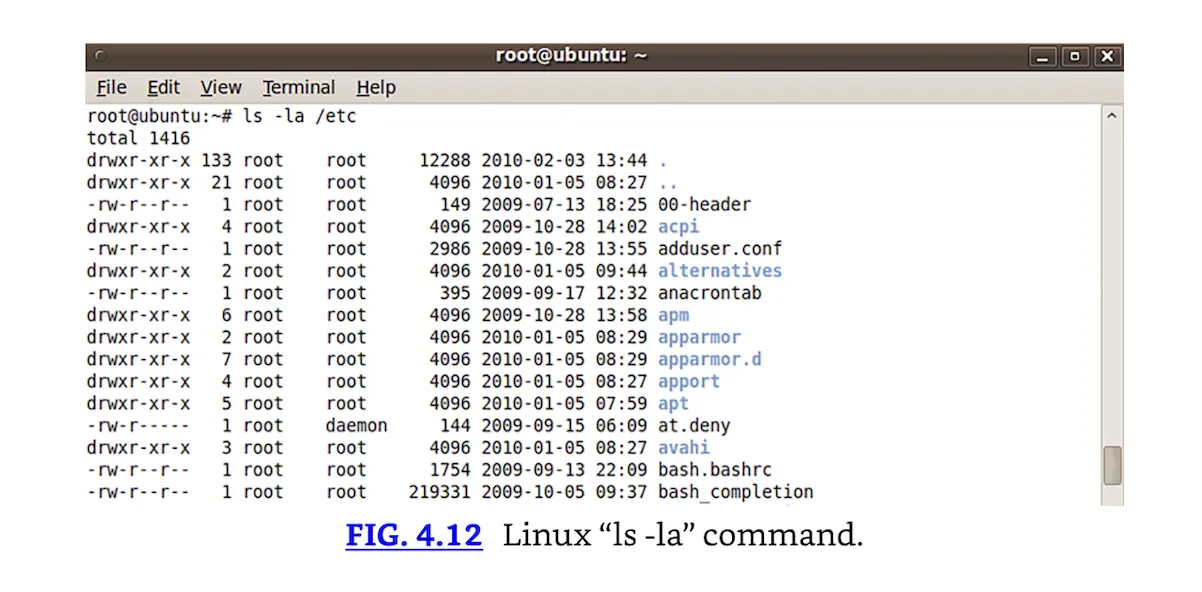 Linux “ls -la” command.
The output in FIG. 4.12 shows permissions, owner, group, size, date, and filename. Permissions beginning with “d” (such as “acpi”) are directories. Permissions beginning with “-” (such as “at.deny”) describe files. FIG. 4.13 zooms in on files in /etc, highlighting the owner, group, and world permissions.
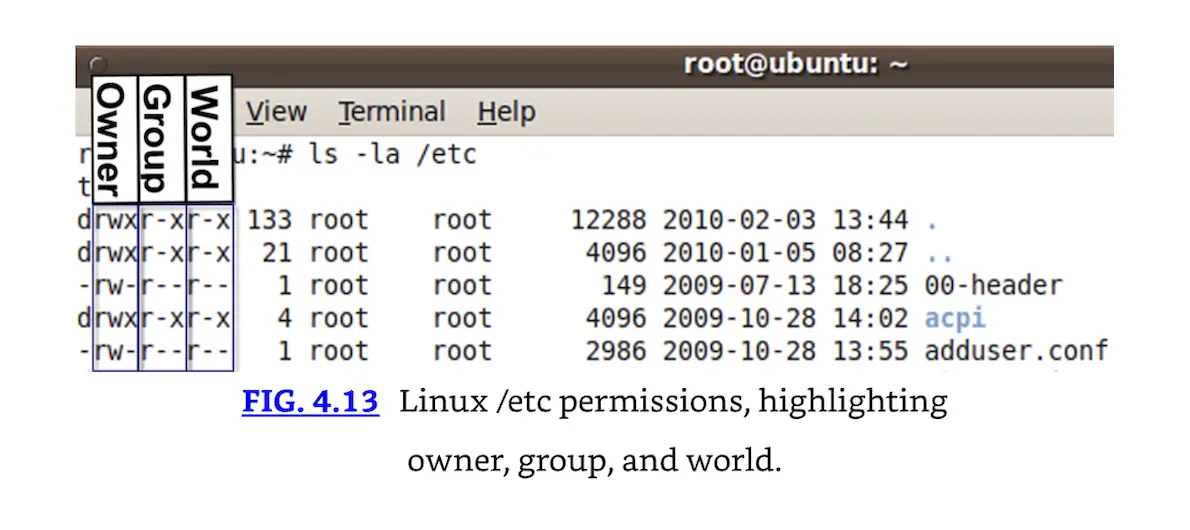 Linux /etc permissions, highlighting owner, group, and world.
The adduser.conf file in FIG. 4.13 is owned by root and has “-rw-r--r--” permissions. This means adduser.conf is a file (permissions begin with “-”), has read and write (rw-) permissions for the owner (root), read (r--) for the group (also root), and read permissions (r--) for the world.