Page185
Note that systems may be “dual stack” and use both IPv4 and IPv6 simultaneously, as Fig. 5.3 shows. That system uses IPv6, and also has the IPv4 address 192.168.2.122. Hosts may also access IPv6 networks via IPv4; this is called tunneling. Another IPv6 address worth noting is the loopback address: ::1. This is equivalent to the IPv4 address of 127.0.0.1.
IPv6 Security Challenges
IPv6 solves many problems, including adding sufficient address space and autoconfiguration, making routing much simpler. Some of these solutions, such as autoconfiguration, can introduce security problems.
An IPv6-enabled system will automatically configure a link-local address (beginning with fe80::...) without the need for any other IPv6-enabled infrastructure. That host can communicate with other link-local addresses on the same LAN. This is true even if the administrators are unaware that IPv6 is now flowing on their network.
ISPs are also enabling IPv6 service, sometimes without the customer’s knowledge. Modern network tools, such as network intrusion detection systems, can “see” IPv6, but are often not configured to do so. And many network professionals have limited experience or understanding of IPv6. From an attacker’s perspective, this can offer a golden opportunity to launch attacks or exfiltrate data via IPv6.
All network services that are not required should be disabled: this is a fundamental part of system hardening. If IPv6 is not required, it should be disabled. To disable IPv6 on a Windows host, open the network adapter, and choose properties. Then uncheck the “Internet protocol Version 6” box, as shown in Fig. 5.4.
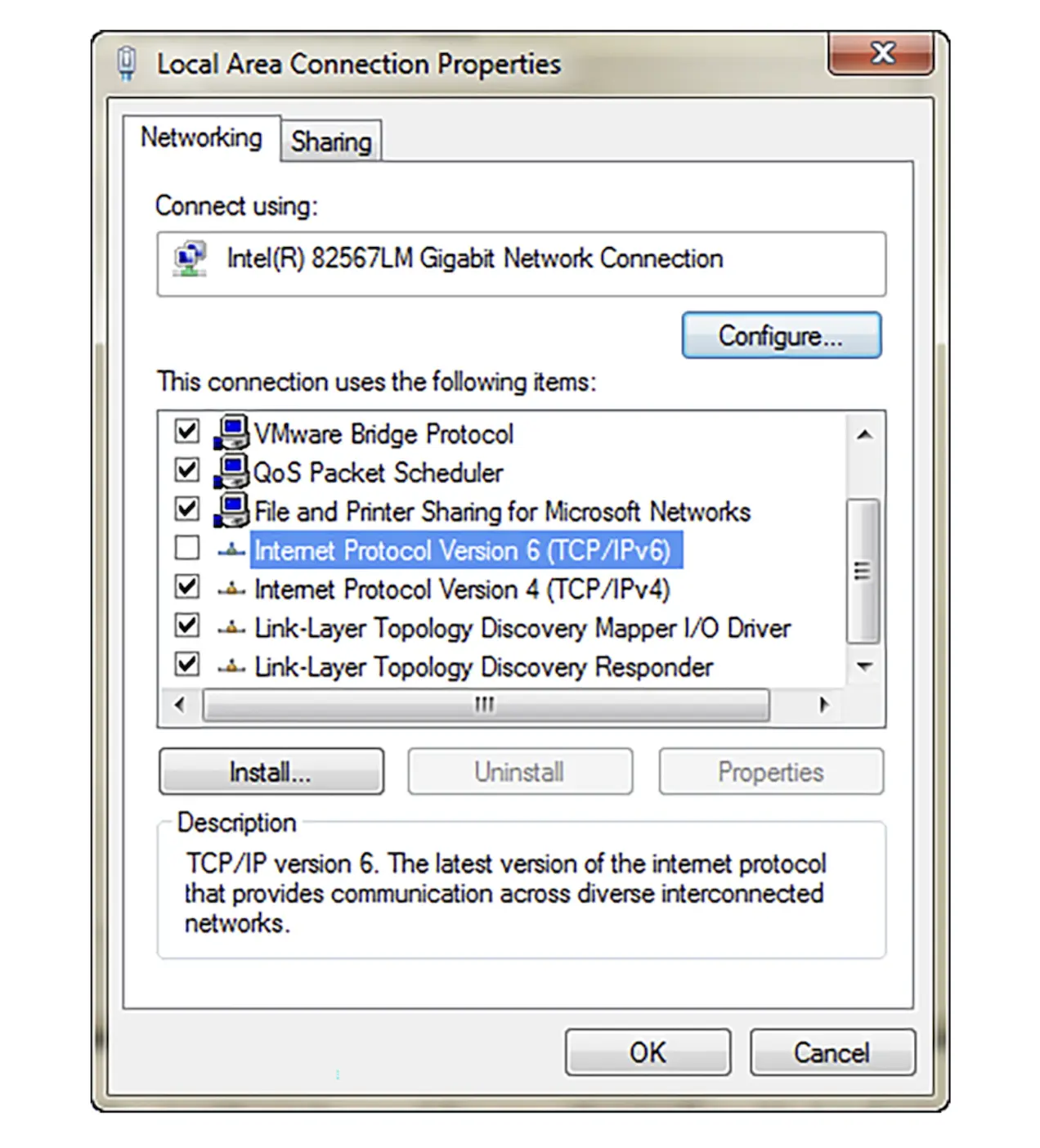 Disabling IPv6 on Windows.