Page213
Switches
A switch is a bridge with more than two ports. Also, it is best practice to only connect one device per switch port. Otherwise, everything that is true about a bridge is also true about a switch.
Fig. 5.19 shows a network switch. The switch provides traffic isolation by associating the MAC address of each computer and server with its port. Traffic sent between Computer 1 and Server 1 remains isolated to their switch ports only: a network sniffer running on Server 3 will not see that traffic.
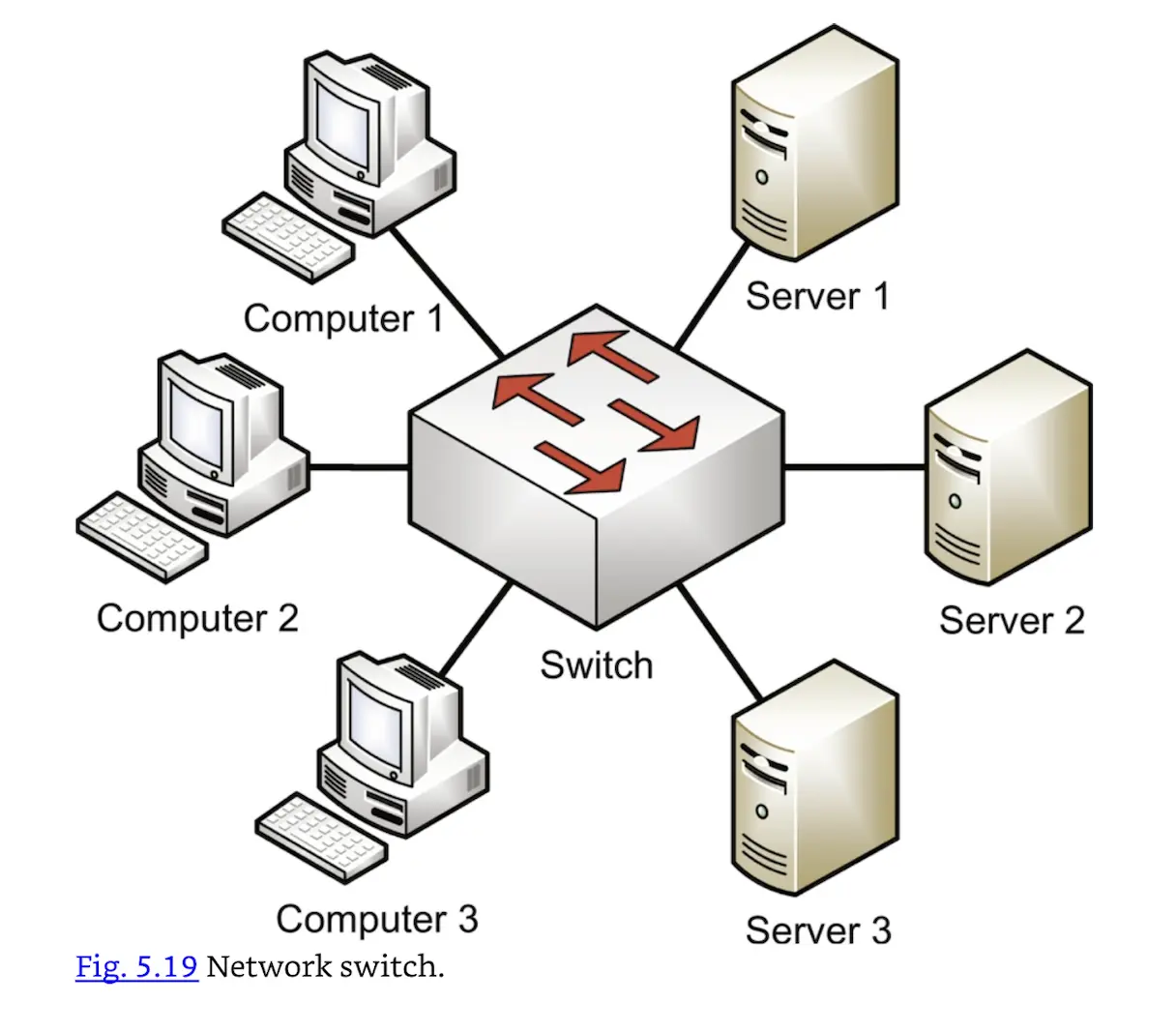 Network switch.
A switch shrinks the collision domain to a single port. You will normally have no collisions assuming one device is connected per port (which is best practice).
Trunks are used to connect multiple switches.
VLANs
A VLAN is a Virtual LAN, which can be thought of as a virtual switch. In Fig. 5.19, imagine you would like to create a computer LAN and a server LAN. One option is to buy a second switch and dedicate one for computers and one for servers.
Another option is to create a VLAN on the original switch, as shown in Fig. 5.20. That switch has two VLANs and acts as two virtual switches: a computer switch and a server switch.
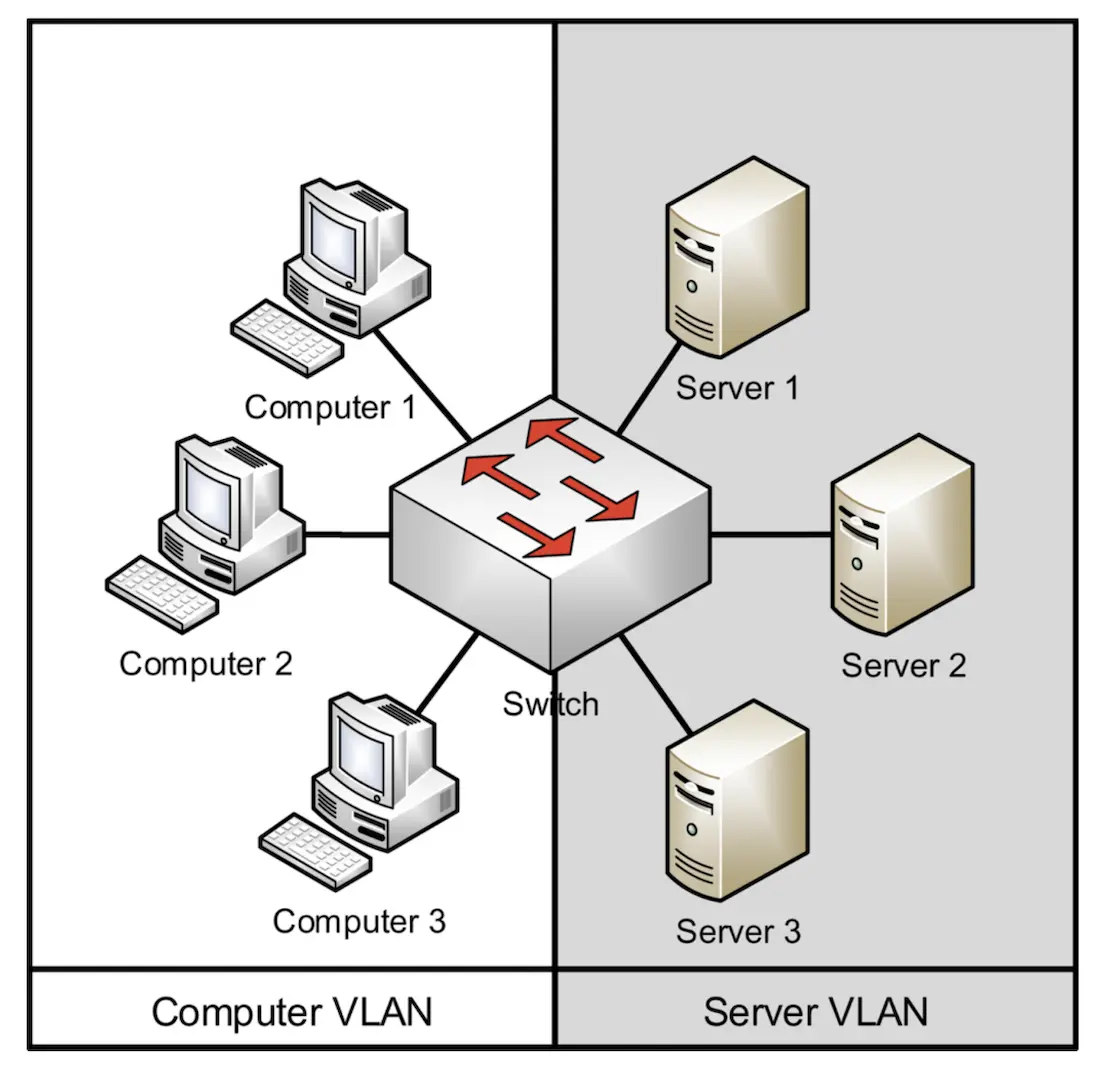 Switch VLAN.
The VLAN in Fig. 5.20 has two broadcast domains. Traffic sent to MAC address FF:FF:FF:FF:FF:FF by computers 1–3 will reach the other computers, but not the servers on the Server VLAN. Inter-VLAN communication requires Layer 3 routing, discussed in the next section.
VLANs may also add defense-in-depth protection to networks; for example, using VLANs to segment data traffic and management traffic.